
How Semaphoric works
Semaphoric takes a move from the first signal through to a meeting. Each step below shows the part of the product that does the work.
- 01Spot the moveSemaphoric flags people leaving, teams lifting out and new firms forming, often before they’re announced.
- 02Understand itProfiles show where someone went, who went with them and how close your team is to them.
- 03Get introducedSemaphoric uses your team’s meetings, emails and connections to find who can introduce you.
- 04Work itA pipeline board where every firm has an owner, a stage and a next step.
Spot the move
Semaphoric flags people leaving, teams lifting out and new firms forming, often before they’re announced.
Signals, scored and explained
Semaphoric watches the people and firms you follow. When a partner leaves to start a firm, a team moves together or a business is carved out, it raises a signal and scores it from 0 to 100. Open any score to see each point that went into it.
- Solo founders, co-founders, carve-outs, team lift-outs and ownership moves
- The evidence behind each signal, laid out on a timeline
- Track, confirm or dismiss in one click
- Filter by score, signal type and parent firm
Lists of firms and people
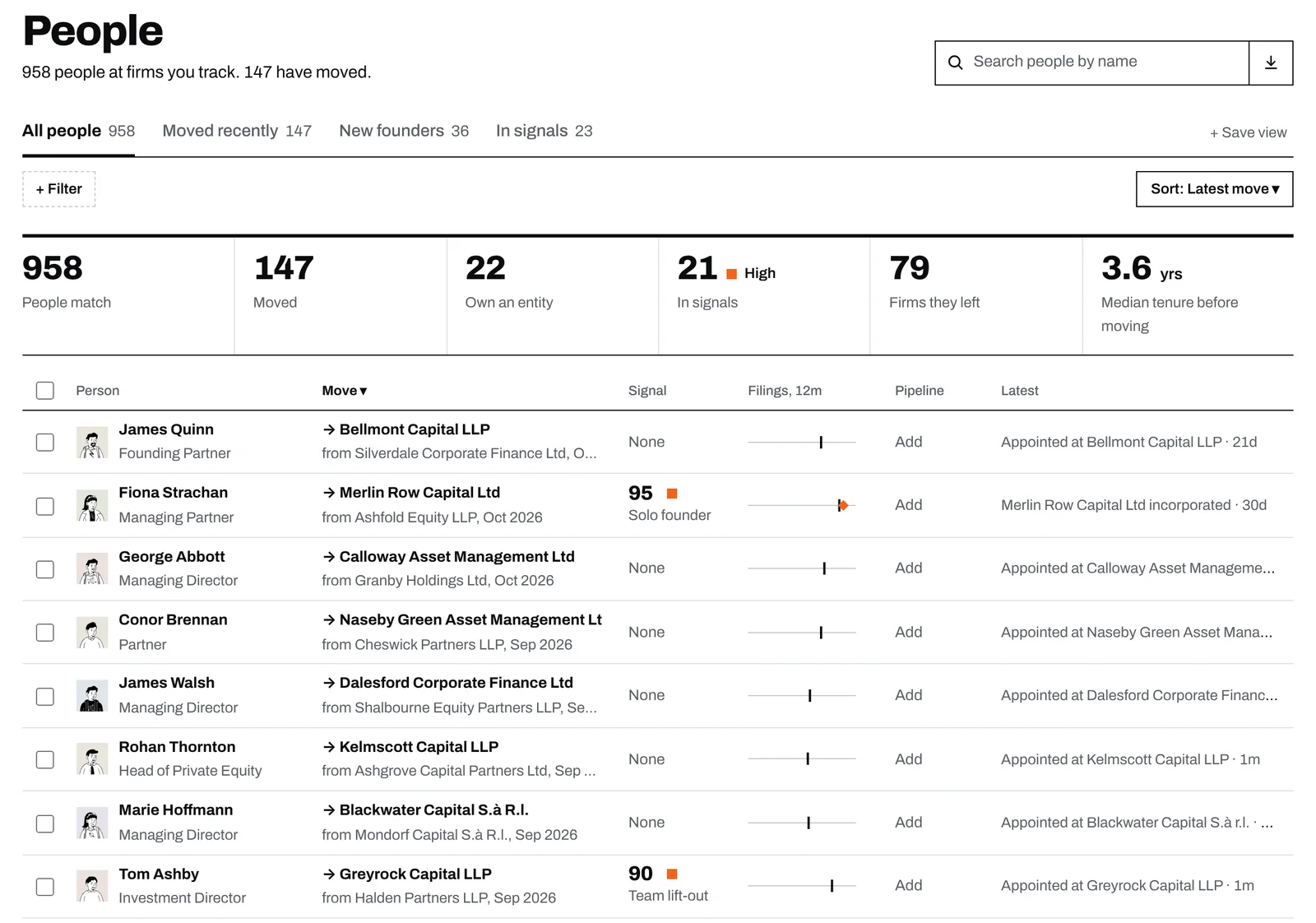
Every firm and person you track, in sortable lists with views for firms losing people, people who moved recently and new founders. Each row carries a twelve-month activity strip.
- Summary figures recalculate as you filter
- Export any list in one click
Understand it
Profiles show where someone went, who went with them and how close your team is to them.
Person profiles
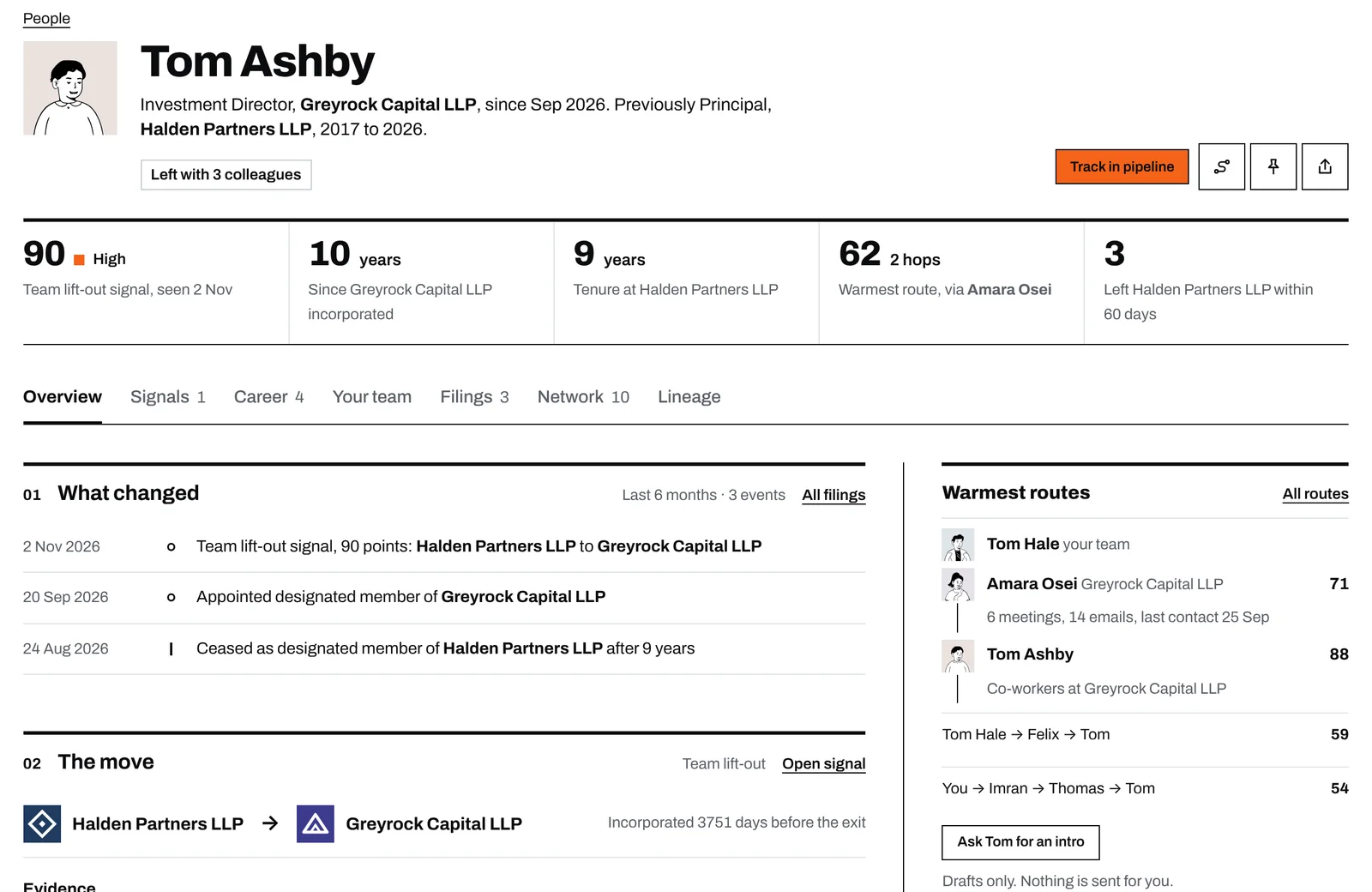
A person’s profile opens with what changed. You see where they went, who left with them, how long they’d been there and the best route your team has to them. Their career is charted further down.
- Colleagues who left within 60 days of each other are grouped together
The Network view
Start from any person and see the firms they’ve worked at, the people they know through those firms, and where those people work now. Rings shows it by degree: start on the whole ring, then zoom in and turn the dial through each direct tie. Tree lays the same network out step by step. Select anyone to highlight every path to them.
- Tie strength scored from 0 to 100
- Up to three degrees out
- Turn the ring by dragging, with the arrow keys or the next and previous buttons
Firm profiles
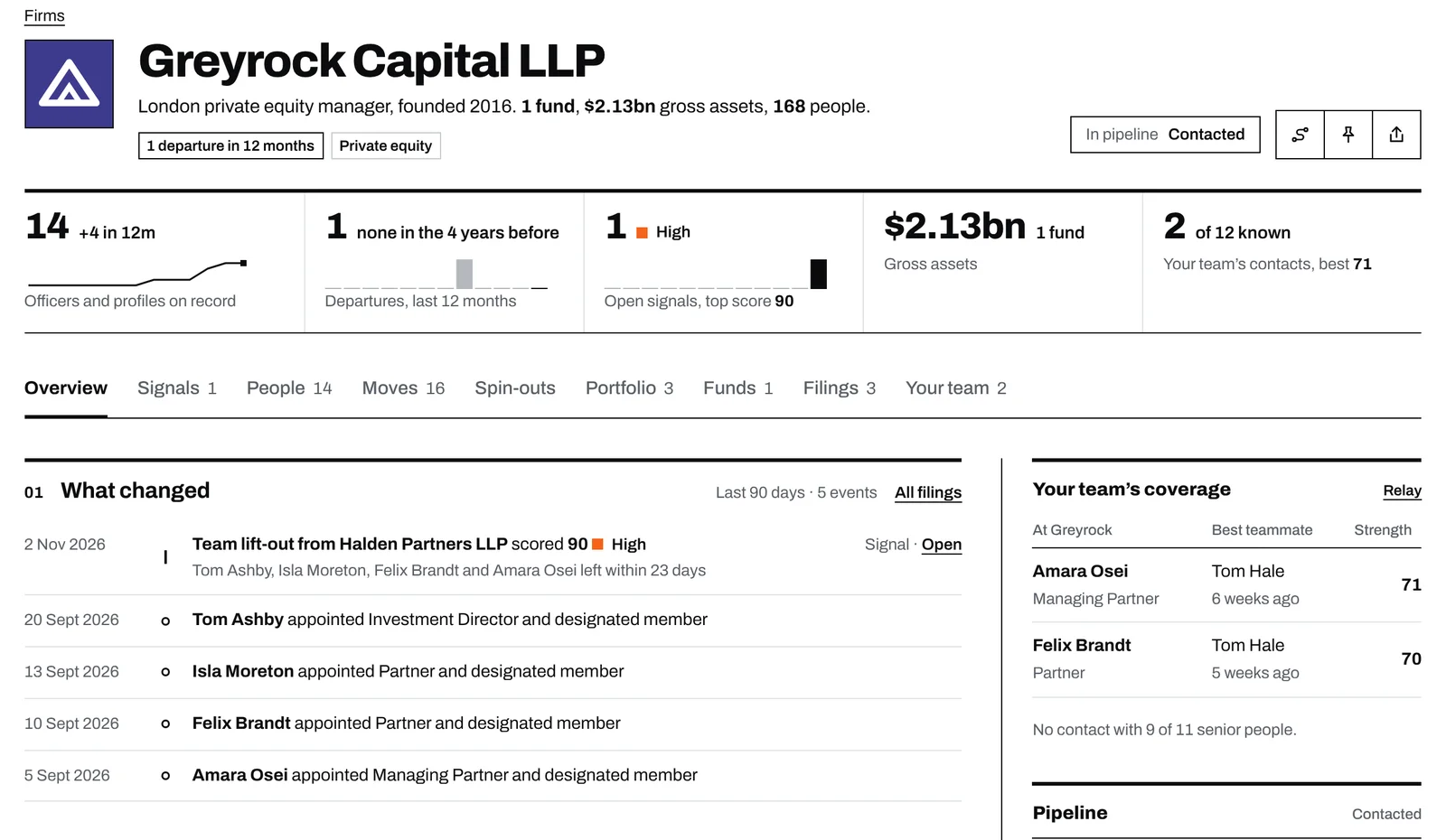
Firm profiles show the last 90 days of changes, joiners and leavers over time, the senior people, and which of them someone on your team already knows. Portfolio companies, funds and co-investors sit on the same page.
Get introduced
Semaphoric uses your team’s meetings, emails and connections to find who can introduce you.
Relay
Pick a person or firm and Relay lists every route from your team to them, strongest first, up to three steps long. Each step shows who knows whom and how well, so you can see where a route is weak before you ask.
- Drafts the intro request for you to edit, and never sends anything itself
Who on your team knows them
Each profile shows which teammates know the person, through which channels and when they were last in touch. Relationships that are going cold are flagged. The same tab lists your team’s meetings and emails alongside the person’s career moves.
- Strength, meeting and email counts, and last contact for each teammate
- Filter the history to team activity or career moves
Work it
A pipeline board where every firm has an owner, a stage and a next step.
The pipeline board
Firms sit on a board by owner and stage. Each card shows the signal score, how recently you were in touch and the next step with its due date. When you move a firm to a new stage, Semaphoric asks what happens next.
- Your own lane first, or every owner side by side
- Orange marks overdue steps, missing next steps and firms going cold
- A table view with stage, time in stage and next step for every firm
- One click to filter to the firms going cold
You decide what your team sees
Connect your work email and calendar, then choose how much teammates can see, from the fact that you know someone through to full detail. A preview shows exactly what they will see.
- Mark any contact as private and it is never shown
- Semaphoric staff can only access your workspace with your approval
Coming soon
Founding partners get early access to each of these as it is released.
CRM sync
SoonPush the firms and people you track into your CRM and keep both up to date. We’ll start with a small set of CRMs and add more over time.
API
SoonPull signals, people, relationships and pipeline data into your own tools and models.
MCP connector
SoonLets your AI assistant query Semaphoric directly, for example to ask who left a firm this quarter or who on your team knows them.
See Semaphoric on your own targets
Book a 30-minute walkthrough and we’ll show you what Semaphoric finds on the firms and people you’re watching. Or request early access and we’ll be in touch.